


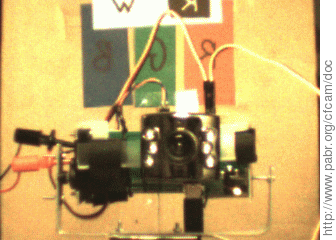
Unlike the more recent PXA270, the PXA255 processor does not have hardware support for video capture. The proper way to add real-time, low-latency imaging capability to a PXA255 is with a CMOS sensor clocked by a dedicated crystal, controlled with I2C, feeding data at constant rate into a FIFO whose other end is connected to the memory bus of the processor. See [FS2006] for a detailed example.
This document suggests a simpler, lower-cost (but possibly less reliable) approach based on the observation that CMOS sensors typically work reasonably well with a non-periodic clock.
cfstix. We don't really care about the CompactFlash functionality, but for $25 we get a 92 pin Hirose connector, address/data bus transceiver, and 1.27 mm headers.
Warning
Do not connect a CMOS sensor to the CF port of a netcf or wifistix-cf board, as the outputs are not three-state and would conflict with those of the LAN91C111 or Wi-Fi chip.
Female CF connector. Sources include:
Factory CF connector (hard to find in small quantities)
From a dead CF card
Generic 2x25x1.27 mm female connector (not CF-compliant, but reasonably compatible)
CMOS sensor and break-out board. Sources include:
USB webcam (tested: SN9C102+OV7630 and SN9C120+HV7131R)
C3088/C3188 with external clocking (not tested)
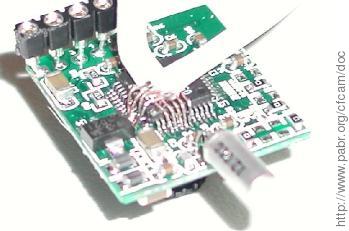
Connect GND to USB_GND of the camera.
Connect V_BATT (+5 V) to USB_VBUS of the camera.
Connect nPIOR to SEN_CLK (a.k.a. MCLK).
Connect S_IMG[0..8] to XMD[0..8].
Disable /etc/init.d/S30pcmcia.
Enable SKTSEL: pxa_gpio_mode(GPIO54_pSKTSEL_MD).
Enable PCMCIA address decoding: MECR=MECR_CIT.
Program I/O bus timings: MCIO(0)=0 works; MCIO(0)=(10<<14)|(5<<7)|10 would add a security margin.
Transfer a few megabytes from 0x2000000 (slot 0) with DMA, using WIDTH2|BURST4.
Decode the raw data. This typically involves removing the horizontal and vertical blanking intervals, and reconstructing RGB pixels from a Bayer image.
The memory controller and DMAC are documented in [PXA255_DEVEL].
[PXARC] contains a driver which implements all this.
Here is how it works (results with other sensors may vary)
As long as the SN9C1xx does not see a USB host, it remains idle with SEN_CLK floating.
The power-on configuration of the sensor is good enough to produce images. Otherwise, we would have to configure it with I2C.
Each read at 0x20000000 will send a pulse on SEN_CLK. Although the DMA reads occur in bursts, this will clock the sensor.
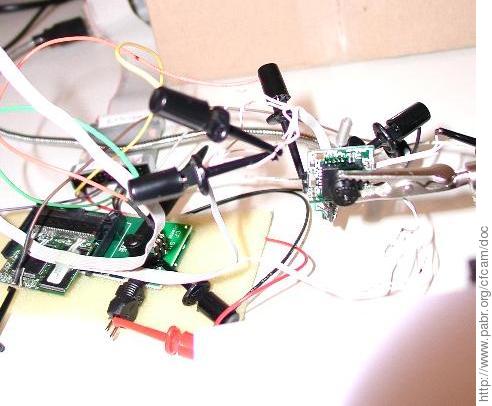
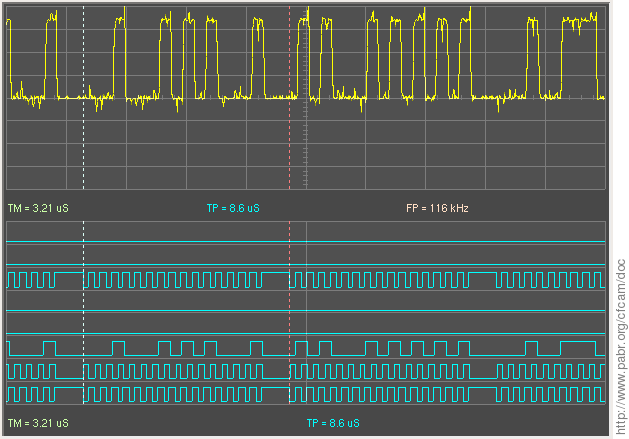
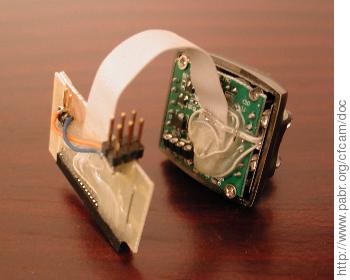
Performance is limited by the complexity of the asynchronous CF/PCMCIA read cycle. A prototype (Figure 5, “ Another modified webcam (SN9C120+HV7131R) ”) has been tested at 320x240x14fps and 640x480x4fps. A CMOS sensor that outputs one pixel per clock cycle should achieve 320x240x28fps and 640x480x8fps (or 3.8 M pixels/s, including sync intervals). For comparison, the hardware capture interface of the PXA270 can clock sensors up to 52 MHz.
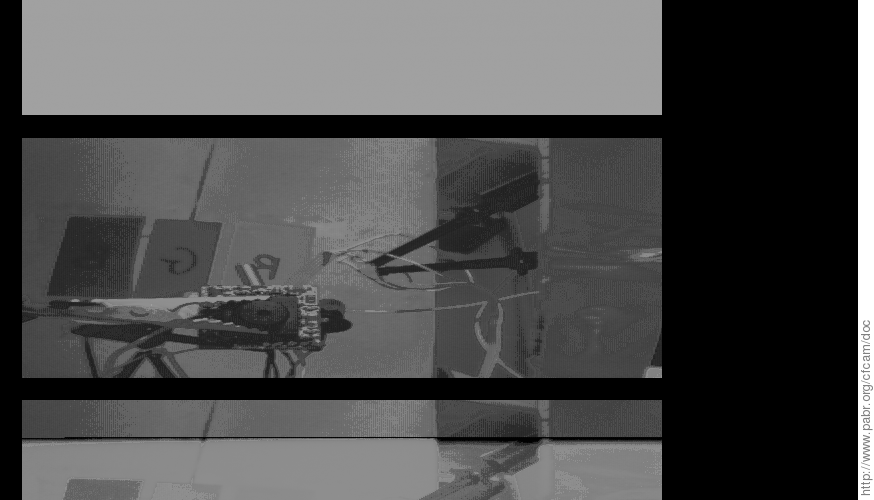
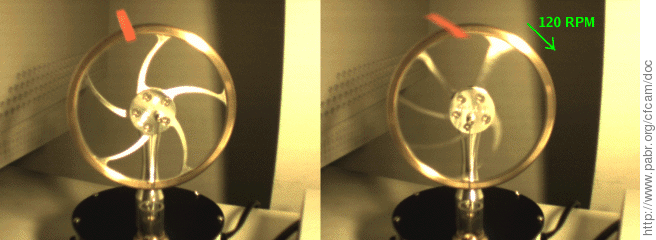
Figure 7, “ Rolling shutter artifacts ” shows an unwanted side effect of this low pixel rate when the sensor is a "rolling shutter" type: moving objects are significantly distorted.
[PXARC] pxaRC - R/C and robotics software for Linux/PXA255/PXA270 . http://www.pabr.org/pxarc/doc/pxarc.en.html .
[FS2006] Linux Robot with Omnidirectional Vision. http://cswww.essex.ac.uk/mv/omnipapers/gwfran06with-header.pdf.